The Impact of Megapixels on Photo Editing: What Resolution Means for Your Creative Workflow
In the world of photography, megapixels have long been a buzzword, often touted as the defining factor of camera quality. While the debate over whether “more pixels mean better photos” rages on, one aspect is often overlooked: the influence of megapixel count on photo editing. For photographers, designers, and hobbyists alike, the resolution of your images can dramatically affect what you can achieve in post-production. This article explores how megapixels impact the editing process, from cropping flexibility and retouching detail to storage needs and workflow efficiency, providing a comprehensive look at what resolution really means for your creative journey.
Understanding Megapixels and Image Resolution
Before diving into the editing implications, it’s important to clarify what megapixels are. A megapixel is one million pixels, and each pixel is a tiny dot representing color and brightness in a digital image. The megapixel count is calculated by multiplying the width and height of an image in pixels. For example, a 24-megapixel camera typically produces images around 6000 x 4000 pixels.
Higher megapixel counts result in images with more detail and larger file sizes. In 2023, consumer cameras range from 12 megapixels (smartphones) to over 100 megapixels (medium format). Why does this matter? Because those extra pixels directly affect your editing possibilities. Let’s break down how.
Cropping Power: Flexibility in Framing After the Shot
One of the key advantages of higher megapixel images is the ability to crop without sacrificing image quality. Cropping is a fundamental part of photo editing—whether you want to improve composition, zoom in on a subject, or remove distractions. The more pixels you start with, the more you can cut away while still retaining enough resolution for printing or sharing.
For example, let’s say you start with a 42-megapixel image (7952 x 5304 pixels) shot on a Sony A7R III. After cropping to focus on a subject, you end up with a 3000 x 2000 pixel image—still 6 megapixels, which is more than enough for a sharp 8x10 inch print at 300 DPI. In contrast, if you began with a 12-megapixel image, heavy cropping could leave you with insufficient pixels for high-quality prints.
Here’s a quick comparison:
| Original Megapixels | Original Resolution | Cropped Resolution | Resulting Megapixels | Printable Size at 300 DPI |
|---|---|---|---|---|
| 12 MP | 4000 x 3000 | 2000 x 1500 | 3 MP | 6.6 x 5 inches |
| 24 MP | 6000 x 4000 | 3000 x 2000 | 6 MP | 10 x 6.6 inches |
| 42 MP | 7952 x 5304 | 4000 x 2667 | 10.7 MP | 13.3 x 8.9 inches |
As shown, higher megapixel images let you crop more aggressively while maintaining print-ready resolution—a crucial advantage for wildlife, sports, or street photographers who may not always nail the perfect composition in-camera.
Retouching and Advanced Editing: More Pixels, More Precision
Photo editing often involves tasks like retouching skin, cloning out blemishes, or making selective adjustments. The more pixels you have, the finer the details you can manipulate. High-resolution files allow for:
- Smoother gradients when dodging and burning - Better separation of fine hair, textures, and fabric - More natural skin retouching without visible artifactsConsider portrait retouching: working with a 50-megapixel file means that adjustments to pores, hairs, and subtle features can be made with pinpoint accuracy. When retouching on a 12-megapixel file, those same edits can quickly look unnatural or “plastic” because there isn’t enough detail to blend changes smoothly.
A 2022 survey from Adobe found that 68% of professional photographers prefer working with images of 24 megapixels or higher for retouching assignments. This preference isn’t just about “bigger is better”—it’s about having enough data to edit without compromise.
Editing Performance and Storage: The Double-Edged Sword of High Resolution
While high-megapixel images offer incredible editing flexibility, they also place heavier demands on your computer and storage space. A single uncompressed 50-megapixel RAW file can be 80-100 MB in size. Editing a batch of these files in Lightroom or Photoshop requires significant RAM, processing power, and disk space.
Here are some concrete numbers:
- A 12-megapixel RAW file: 15-25 MB - A 24-megapixel RAW file: 30-45 MB - A 50-megapixel RAW file: 80-100 MBIf you shoot 500 photos on a 50-megapixel camera, you may need up to 50 GB of storage just for one shoot. Editing such large files can slow down older computers, increase export times, and quickly fill up hard drives.
Many professionals adopt a hybrid workflow: shooting in high resolution but exporting images in smaller sizes for client delivery or web use. However, maintaining an organized archive of high-res files becomes essential for future edits, large prints, or commercial licensing.
Upscaling, Downscaling, and Image Quality: What Megapixels Can (and Can’t) Fix
Sometimes, editors need to change the resolution of an image—either to enlarge (upscale) or shrink (downscale) it for different purposes. While AI-based upscaling tools have improved dramatically, starting with more megapixels still yields better results.
- Upscaling a 12-megapixel image to billboard size can introduce visible pixelation and loss of detail, even with modern algorithms. - Downscaling a 50-megapixel image to web size (e.g., 2048 pixels on the long edge) can make it look even sharper, thanks to the abundance of original data.However, megapixels alone can’t compensate for poor focus, motion blur, or low-quality lenses. Editing software can only work with the detail that’s actually captured—no amount of resolution can restore what wasn’t recorded in the first place.
Case Studies: Real-World Editing Scenarios and Megapixel Impact
Let’s look at a few real-world examples:
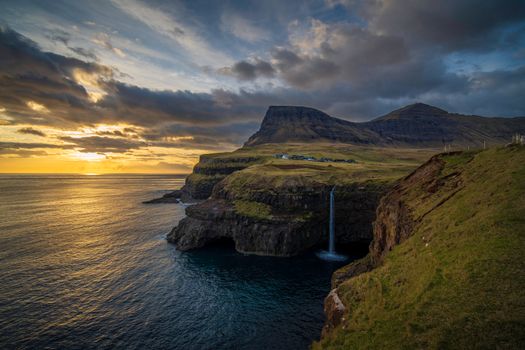
1. Landscape Photography: A photographer using a 61-megapixel Sony A7R IV captures a sweeping mountain vista. During editing, they crop out a third of the frame to focus on a distant peak. The resulting file is still over 40 MP, allowing for massive, gallery-quality prints with no visible loss of detail. 2. Event Photography: A wedding photographer working with a 20-megapixel camera finds that, while the images are beautiful, there’s limited flexibility for tight crops or large-format albums. When switching to a 30+ MP camera, the ability to recover “missed” moments from wide shots proves invaluable. 3. Commercial Retouching: In high-end fashion photography, retouchers often work with 100+ megapixel medium format files. This allows for extreme close-ups, flawless skin editing, and the flexibility to crop for various magazine layouts—all without quality loss.These examples demonstrate that the impact of megapixels on photo editing is highly scenario-dependent, but generally, more resolution expands creative options for editors.
Balancing Megapixels with Your Editing Needs
So, how many megapixels do you really need for editing? The answer depends on your workflow:
- For basic web sharing and social media, 12-20 MP is plenty. - For moderate cropping, retouching, and medium prints, 24-30 MP provides a comfortable margin. - For heavy cropping, commercial retouching, or large prints (20x30 inches or more), cameras with 40 MP or higher offer the most flexibility.Ultimately, it’s about finding a balance between editing headroom and manageable file sizes. Many professionals opt for 24-50 MP cameras as a “sweet spot,” offering both editing power and workflow efficiency.
Final Thoughts: Megapixels as an Editing Tool, Not Just a Marketing Number
While it’s easy to get caught up in the megapixel arms race, it’s important to recognize that resolution is just one piece of the photo editing puzzle. Megapixels provide valuable creative freedom—especially for cropping, retouching, and delivering high-quality work for print or commercial use. However, they also come with logistical challenges, from hardware demands to storage costs.
For most photographers and editors, understanding how megapixels affect post-production can help make smarter choices about gear, workflow, and the creative process. Remember: the best camera is the one that fits your editing needs, not just the one with the highest number on the box.